Create your BinaryMed account to access the Binary Cloud platform.
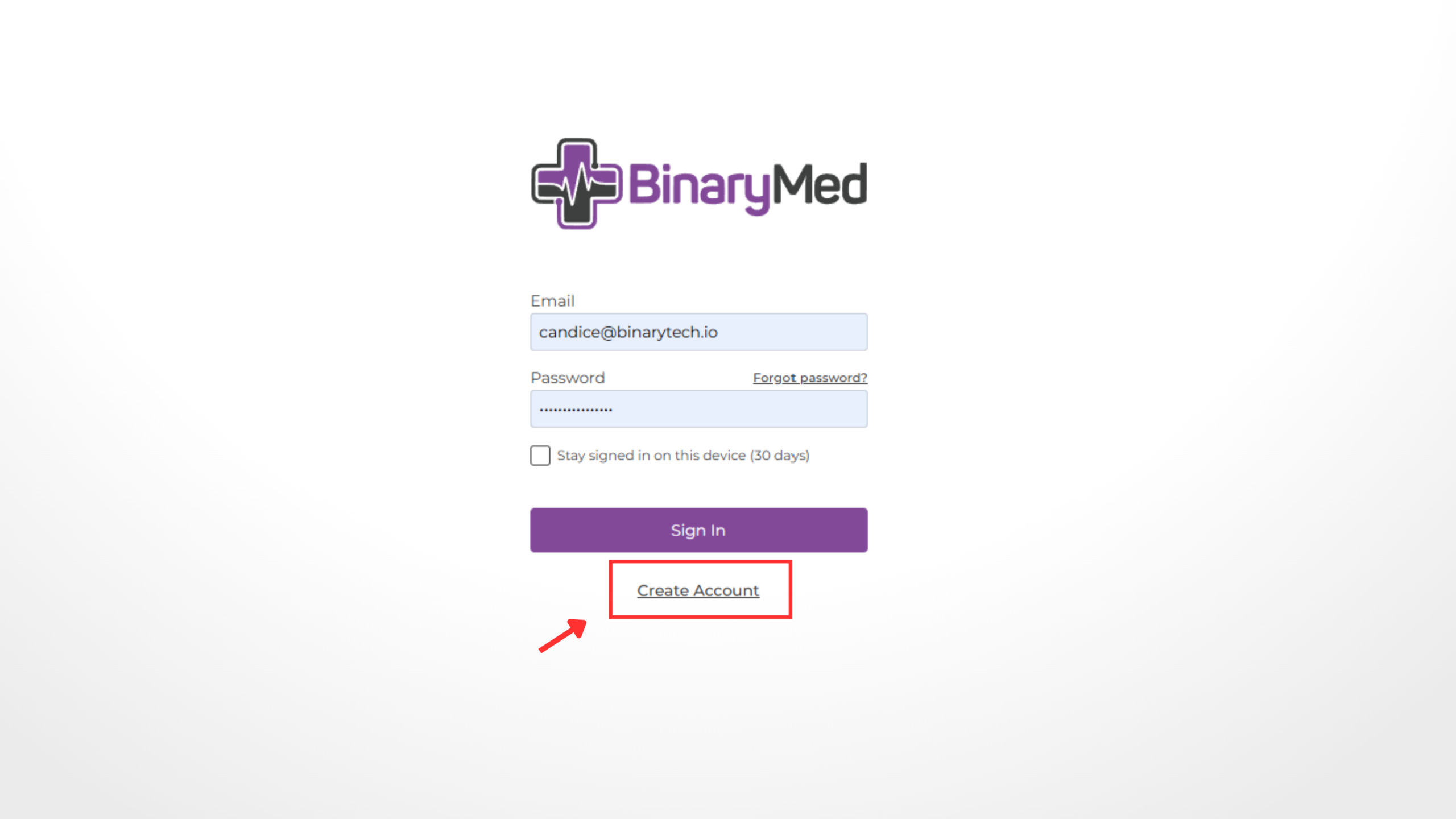
Step 1. Open the Binary Cloud web app
Navigate to app.binarymed.io on your browser.
Select Create Account below the Sign In button.
Step 2. Enter your details
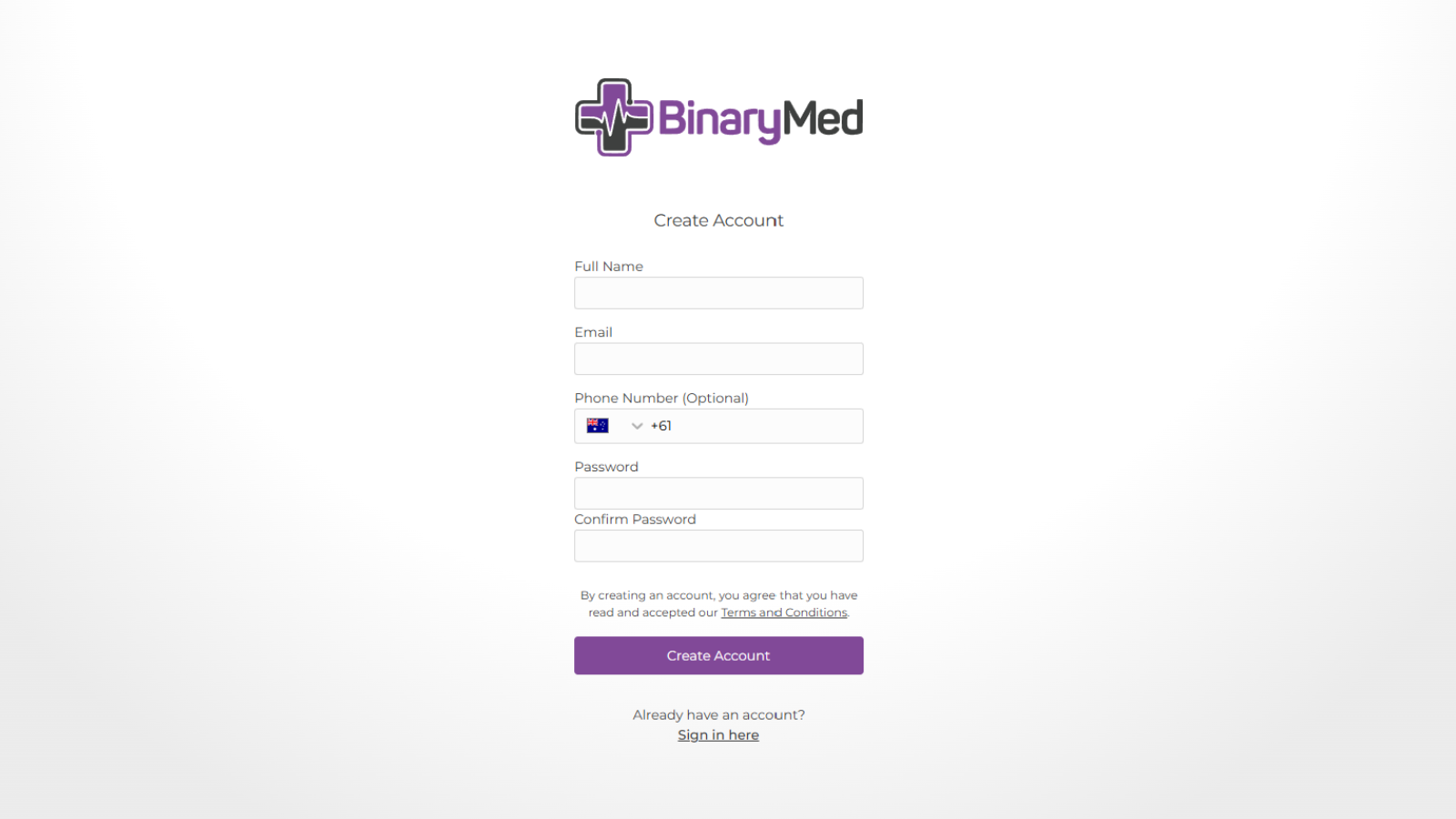
Complete the registration form by entering your:
- Full name
- Email address
- Password
- Confirm password
Your password must:
- Be at least 12 characters long
- Include an uppercase letter
- Include a lowercase letter
- Include a number
- Include a special character
Select Create Account.
Step 4. Verify your email address
After creating your account, a confirmation message will appear.
Check your inbox for an email from [email protected] and select the verification link in the email.
Tip: If you don’t receive the email within a few minutes, check your Junk or Spam folder.
Step 5. Sign in
Once your email has been verified, return to app.binarymed.io and sign in using your email address and password.